📚 Your Complete VPN Guide
Explore the different sections of this guide and learn how VPN technology works.
- Introduction to VPN technology
- Why people use VPNs
- How a VPN connection works
- Global server locations
- Online privacy and security
- Important VPN benefits
- Windows 10 and Windows 11 compatibility
- Installation and connection guide
- Everyday VPN use cases
- Things to understand before using a VPN
- Frequently asked questions
🌍 Introduction: The Internet Is Changing, and Online Privacy Matters
The internet has become one of the most important parts of modern life. Millions of people use it every day to communicate, learn new skills, work remotely, shop online, watch videos, research information and manage their everyday activities.
As internet usage continues to grow, people are also becoming more interested in understanding how their online connections work. Questions about public IP addresses, internet privacy, encrypted connections and geographical server locations are becoming increasingly relevant.
One technology that plays an important role in this discussion is the Virtual Private Network, commonly known as a VPN.
A VPN creates an encrypted connection between your device and a VPN server. Instead of sending supported internet traffic directly through your normal internet route, that traffic is routed through the VPN server.
This changes the public IP address that destination websites generally see. It can also help protect supported traffic from being read by someone monitoring the local network.
Whether you are a student, remote worker, frequent traveller or someone who simply wants to learn more about online privacy, understanding VPN technology can help you make better decisions about your digital life.
In this guide, we will explore VPN technology, its everyday applications, the importance of choosing trustworthy software and how to get started with the Windows desktop offer featured on this page.
✨ Discover the Global VPN Experience
Explore the promotional visuals below to see a representation of a VPN-connected computer and geographical server locations. Actual server availability depends on the provider.
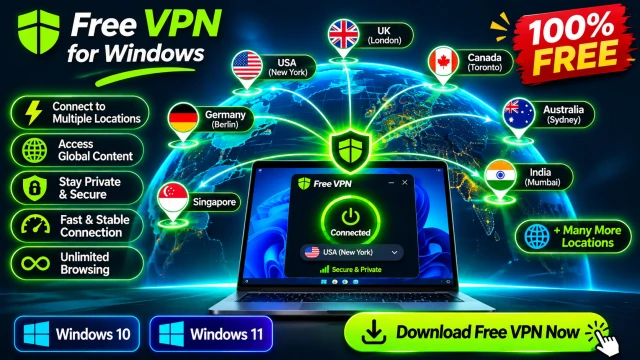
🌐 Explore Different Locations
Understand how a VPN can route supported internet traffic through available server locations around the world.
💻 A Desktop VPN Experience
Explore the Windows VPN concept through this promotional desktop illustration.
🔐 Why Are More People Interested in VPN Technology?
People connect to the internet from many different environments. Some use their home broadband connection, while others use office networks, hotels, airports, cafés or mobile hotspots.
Every network environment has its own characteristics. Public Wi-Fi, for example, can expose users to certain network-related risks when applications and websites are not properly secured.
A VPN can provide an additional layer of protection by encrypting supported traffic between your device and the VPN server. This can be useful when you connect through networks that you do not control.
Another reason people use VPNs is IP address privacy. A VPN server acts as an intermediary between your device and destination websites. Websites generally see the VPN server's public IP address instead of your regular public IP address.
VPN technology can also provide access to different server locations. This may be useful for people who travel or need to understand how location-based internet connections work.
💡 A Useful Digital Privacy Tool
A VPN is not a replacement for safe browsing habits, updated software or strong passwords. It is an additional networking and privacy tool that can be useful when selected and used responsibly.
⚡ How Does a VPN Actually Work?
Understanding the basic working principle of a VPN makes it easier to understand why people use this technology.
Normally, when you visit a website, your device communicates through your internet service provider's network. The website can generally see your public IP address.
When you activate a VPN, your device establishes an encrypted connection with a VPN server. Supported traffic is sent through that connection to the server.
The VPN server then forwards the traffic to its destination. The destination website generally sees the VPN server's IP address.
Step 1: Your Device
You open the VPN application on your compatible Windows computer.
Step 2: Encrypted Tunnel
Your device establishes an encrypted connection to the VPN server.
Step 3: VPN Server
The server forwards supported traffic to the destination website.
This process is commonly described as VPN tunnelling. The specific protocols, encryption methods and privacy protections depend on the VPN software and its configuration.
🌎 Explore the World Through VPN Server Locations
One of the most interesting concepts behind VPN technology is the ability to connect through servers in different geographical regions.
Depending on the provider, available server locations may include major regions such as North America, Europe, Asia and other parts of the world.
Imagine a traveller who normally connects to the internet from India but wants to route supported traffic through an available server in another country. A VPN can make this possible when the provider offers that location.
Similarly, a remote worker may want to understand how their internet connection appears when routed through a different server location.
North America
Explore VPN routing concepts involving available servers in North American locations.
Europe
Understand how VPN server locations in European regions can change the public IP address websites see.
Asia & Beyond
Learn about routing connections through available Asian and other international server locations.
Global Connectivity Depends on the Provider
Not every VPN offers servers in every country. Always check the actual server list in the application before choosing a location. A displayed promotional map does not guarantee that every illustrated location is available.
🛡️ Online Privacy: What Can a VPN Help With?
Your public IP address is one of the pieces of information involved in an internet connection. It can often reveal your approximate geographical region and internet service provider.
When a VPN is active, destination websites generally receive the VPN server's IP address rather than your regular public IP address. This can provide an additional layer of IP address privacy.
Encryption is another important part of VPN technology. Supported traffic travelling between your device and the VPN server is protected by the VPN connection.
What about public Wi-Fi?
Public Wi-Fi is available in many places, including cafés, hotels, airports and shared workspaces. While convenient, these networks may be managed by people or organisations you do not know.
A properly configured VPN can help protect supported traffic on such networks. However, you should still use HTTPS websites, avoid suspicious downloads and never share sensitive information with untrusted services.
Does a VPN protect everything?
No. A VPN does not automatically protect you against phishing, malicious applications, compromised accounts, unsafe websites or every form of tracking. Your online habits still matter.
🚀 Important Benefits of Using VPN Technology
Different people use VPN services for different reasons. Here are some of the most commonly discussed benefits of this technology.
Encrypted Traffic
Supported traffic between your device and VPN server is encrypted, adding protection to your network connection.
Different IP Locations
Route supported internet traffic through available VPN servers in different geographical regions.
IP Address Privacy
Destination websites generally see the VPN server's IP address while you are connected.
Public Network Use
A VPN can add encryption to supported traffic when using networks outside your home or office.
Travel Convenience
Explore available VPN server locations when travelling between different countries.
Desktop Connectivity
A compatible desktop VPN application allows you to manage the connection directly from your Windows computer.
💻 A VPN Offer Designed for Windows 10 and Windows 11
This particular promotional offer is designed for desktop users. It requires a compatible Windows 10 or Windows 11 computer.
If you use a Windows laptop or desktop PC for everyday browsing, remote work, research or other online activities, you can explore the offer and review the installation requirements.
Windows 10
Intended for compatible Windows 10 computers. Check your system compatibility before installation.
Windows 11
Intended for compatible Windows 11 computers. Follow the software provider's installation instructions.
Important: Desktop Only
This offer is not intended for Android phones, iPhones, tablets or other non-Windows devices. Use a compatible Windows 10 or Windows 11 PC.
🌟 Everyday Situations Where VPN Technology Can Be Useful
VPN technology is not limited to one particular type of internet user. Different people may find it useful in different situations.
1. Remote Working
People working from home or travelling for business may connect through different internet networks. A VPN can add encryption to supported network traffic and provide another way to manage their connection.
2. Online Research
Researchers and digital professionals sometimes need to understand how websites and services respond to connections from different IP locations. A VPN can help explore this aspect of internet routing.
3. Frequent Travellers
Travellers often use hotel, airport and café networks. A VPN can help protect supported traffic when connecting through networks that are not personally controlled.
4. Students and Learners
Students who spend time researching, attending online classes and learning new digital skills may want to understand how VPNs and internet privacy tools work.
5. Everyday Desktop Users
People who regularly use Windows computers may want to explore VPN applications as part of their broader online security setup.
6. Digital Privacy Enthusiasts
Users who are interested in networking, encryption and online privacy may find it useful to learn about VPN protocols, server locations and connection settings.
⚙️ How to Get Started: Complete Windows Installation Guide
Ready to explore the offer? The following steps explain how to begin the process on a compatible Windows desktop or laptop.
Click one of the offer buttons on this page. You will be redirected to the third-party offer page where you can review the available details.
Confirm that your computer is running Windows 10 or Windows 11. Make sure your device has enough storage and meets the application's requirements.
Read the instructions, terms and any applicable conditions on the offer page before proceeding.
Follow the official offer page instructions to obtain the application. Only install software from the provided legitimate source.
Open the downloaded installer and follow the on-screen installation instructions. Review any permissions requested by the software.
Once installation is complete, launch the application from your Windows desktop or Start menu.
Follow the application's instructions and establish a VPN connection. The stated offer requirement is to install, open and connect once on a Windows 10/11 PC.
If you want to verify your VPN connection, use a reputable IP-checking website and compare the displayed public IP address before and after connecting.
⚡ VPN Speed: What Should You Expect?
Internet speed is an important consideration when choosing a VPN. A VPN connection may affect your browsing speed because traffic travels through an additional server and is processed through encryption.
The actual experience depends on several factors, including your internet connection, the distance to the VPN server, server load, VPN protocol and the quality of the provider's network.
A nearby server may sometimes offer better performance than a distant server, but results can vary. There is no universal guarantee that a VPN will make an internet connection faster.
Speed Tip
When available, compare different server locations and choose one that provides a suitable balance of speed, stability and geographical requirements.
🧠 What Should You Check Before Installing a VPN?
Choosing a VPN is also about understanding the company and software behind it. Before installing any application, take a few minutes to review its important details.
Check the Privacy Policy
Understand what information the application collects, how connection information is handled and whether the provider shares data with third parties.
Understand the Logging Policy
Different providers have different data retention practices. Read the actual policy rather than assuming that every VPN follows a no-logs approach.
Check the Application Permissions
Review the permissions requested during installation. Be careful with applications requesting access that does not appear necessary for their intended function.
Understand Free Offer Limitations
Some free VPN offers may have limitations involving server availability, speed, data usage, features or usage periods. Review the actual terms before installing.
Use Additional Security Tools
Keep Windows updated, use a reputable security solution, enable multi-factor authentication where available and avoid suspicious links or downloads.
Remember
No VPN should be treated as a guarantee of complete anonymity, unrestricted website access or total security. Responsible browsing habits remain essential.
❓ Frequently Asked Questions About the Free VPN Offer
1. What is a VPN?
VPN stands for Virtual Private Network. It creates an encrypted connection between your device and a VPN server and routes supported internet traffic through that server.
2. Is this offer designed for Windows computers?
Yes. This specific offer is intended for compatible Windows 10 and Windows 11 desktop or laptop computers.
3. Can I complete the offer on my Android phone?
No. This offer is marked desktop-only and requires a Windows 10 or Windows 11 computer.
4. What are the stated installation requirements?
The stated requirements are to install the application, open it and connect once on a Windows 10/11 PC.
5. Is the offer free?
It is advertised as a free VPN offer. Check the destination page for the current terms, limitations and any conditions.
6. Does a VPN hide my regular IP address?
While connected, destination websites generally see the VPN server's public IP address rather than your regular public IP address.
7. Does a VPN guarantee complete online privacy?
No. A VPN provides certain privacy and encryption benefits, but it does not eliminate cookies, account tracking, malware or every online security risk.
8. Can a VPN connect to different countries?
That depends on the VPN provider's server network. Check the application to see which locations are available.
9. Will a VPN always increase my internet speed?
No. A VPN can sometimes reduce speed due to encryption and server routing. Performance depends on network conditions and server quality.
10. Is a VPN useful when travelling?
It can be useful for adding encryption to supported traffic when connecting through hotel, airport and other public networks.
11. How do I get started?
Use the offer button on this page, review the destination instructions and follow the installation requirements.
12. Is this offer available for Mac?
No. This particular offer is intended for Windows 10 and Windows 11 desktop users.
Ready to Explore a More Private Internet Connection?
Discover the Windows VPN offer, review its terms and follow the installation instructions to get started. Take the next step towards understanding VPN technology and managing your desktop internet connection.
🚀 EXPLORE FREE VPN NOWAdvertising and Affiliate Disclosure
This article contains an affiliate tracking link to a third-party offer. We may receive compensation when a qualifying action is completed through that link. This does not change the information presented in this guide.
Third-Party Product Disclaimer
This website is an independent publisher and is not the developer or operator of the VPN software. The software, its features and its privacy policies are controlled by the respective third-party provider.
Offer and Compatibility Disclaimer
The offer is intended for compatible Windows 10 and Windows 11 desktop computers. Availability, requirements and terms may change. Always check the current offer page before proceeding.
Security Disclaimer
VPN technology does not guarantee complete anonymity, unrestricted internet access or protection against all cybersecurity threats. Users should follow responsible online security practices.